Access · Teams, policies and approvals
Access
Decide who reads and changes what, and hold sensitive changes until the right people approve them.
Read the technical documentationTeams and policies
A policy says what its holders may do: which rows they read, which columns they change, which apps they open. Teams hold policies, and members join teams.
The same policy applies on every page, import, sync, automation and agent action. Nothing is allowed unless a policy allows it.
Read the Teams and policies guide
Approvals
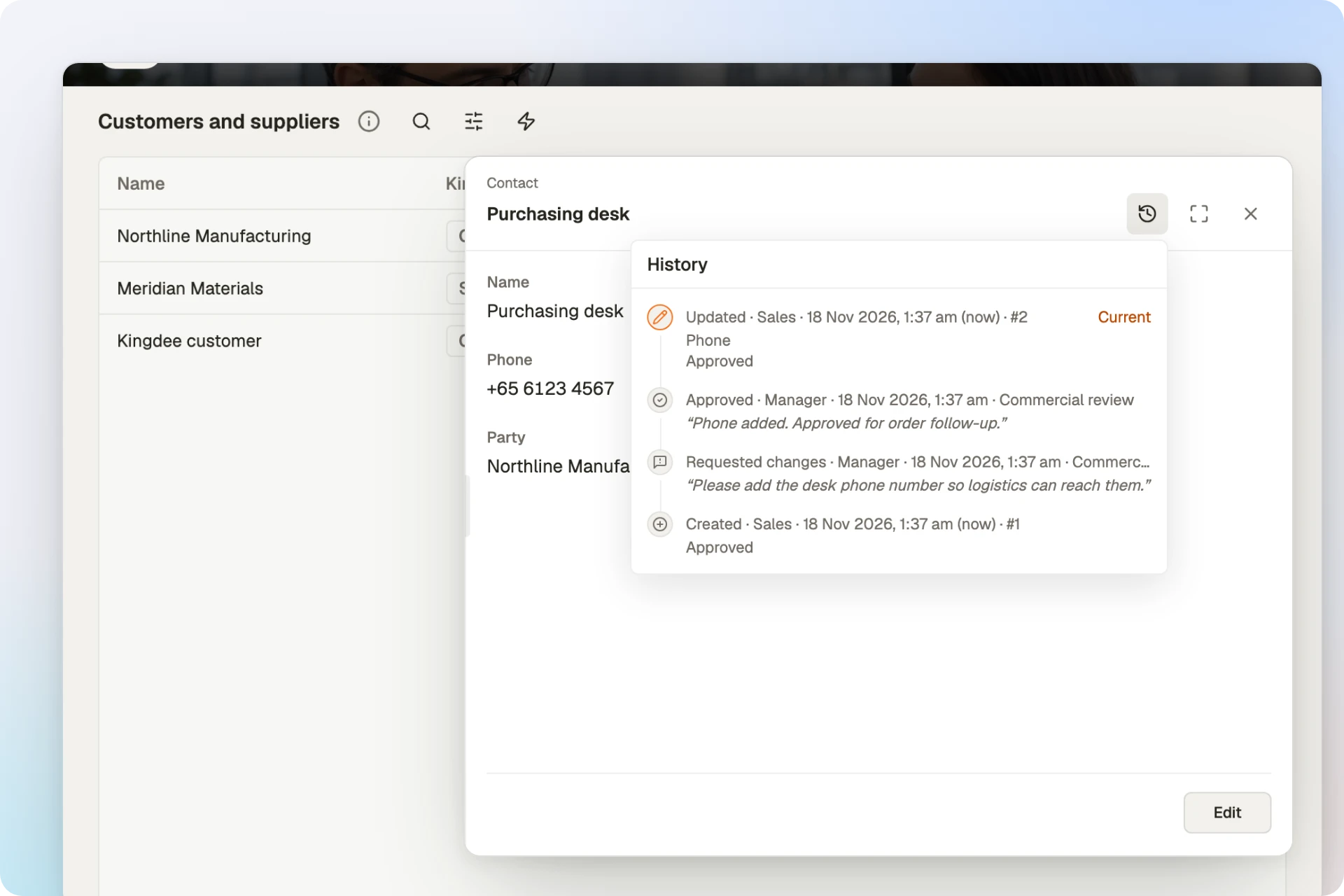
A policy can hold a change for review instead of saving it at once. The change is saved provisionally and marked pending, and named teams approve it step by step.
Approve, and the change stands. Reject, and the record goes back to how it was. Request changes, and the requester edits and resubmits.
Continue through the product
Automation
What runs on its own.