Approval workflows
Approval workflows
An approval holds a change for a decision. The request shows who acts next, the review history and what happens to the record.
In the workspace
This Field Operations example uses a synthetic variation. A Contractor requests a scope or price change; Field Operations Controllers review it. The same approval controls appear wherever a write needs review.
Submit and review
- The Contractor opens an assigned job, adds or edits a variation, then chooses Request approval. The record is held while the request is pending.
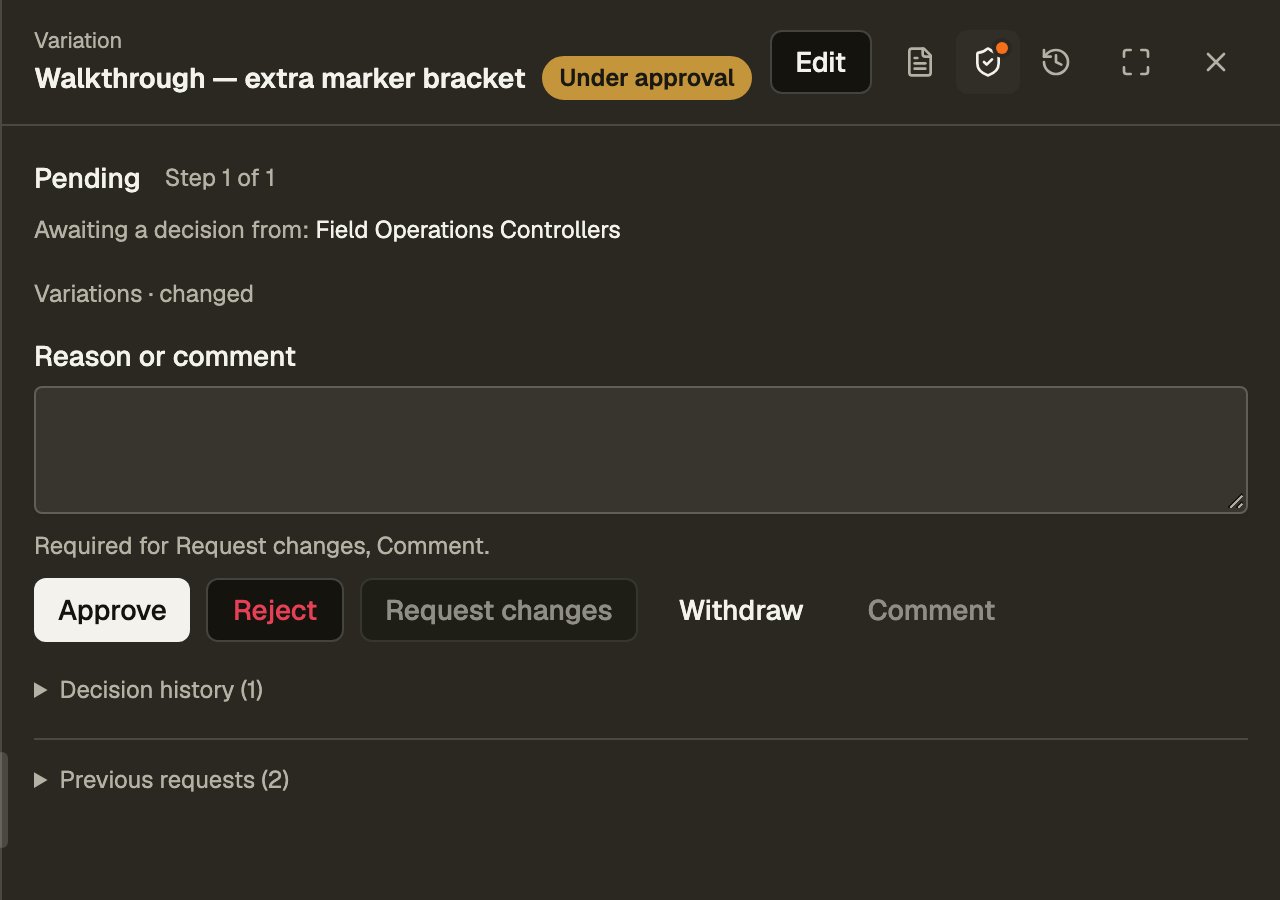
- The controller opens Approvals in the inbox, opens the record and chooses Approval to review the request. The panel names who acts next, shows the latest reason and offers only the actions this viewer may take. Expand Decision history for the full timeline.
- Choose Approve to accept the change. In a multi-step route, it passes to the next team; the last approval releases the hold.
Request a correction
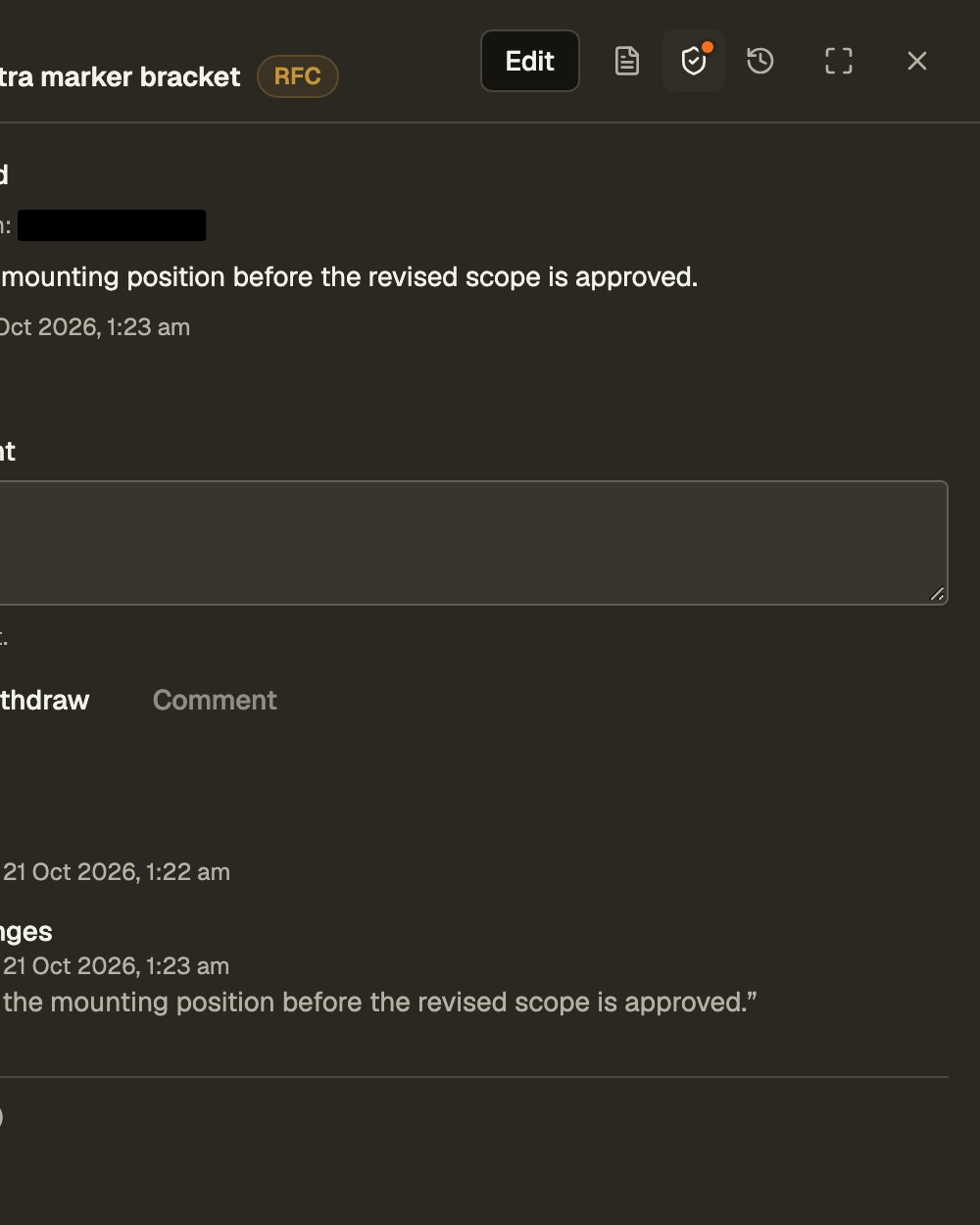
- The controller enters a reason, then chooses Request changes. The record keeps the proposed values and shows RFC. Hover or focus the chip for Request for change.
- The requester reads the reason, chooses Edit, corrects the fields and saves. While changes are requested, only the requester may edit the held record.
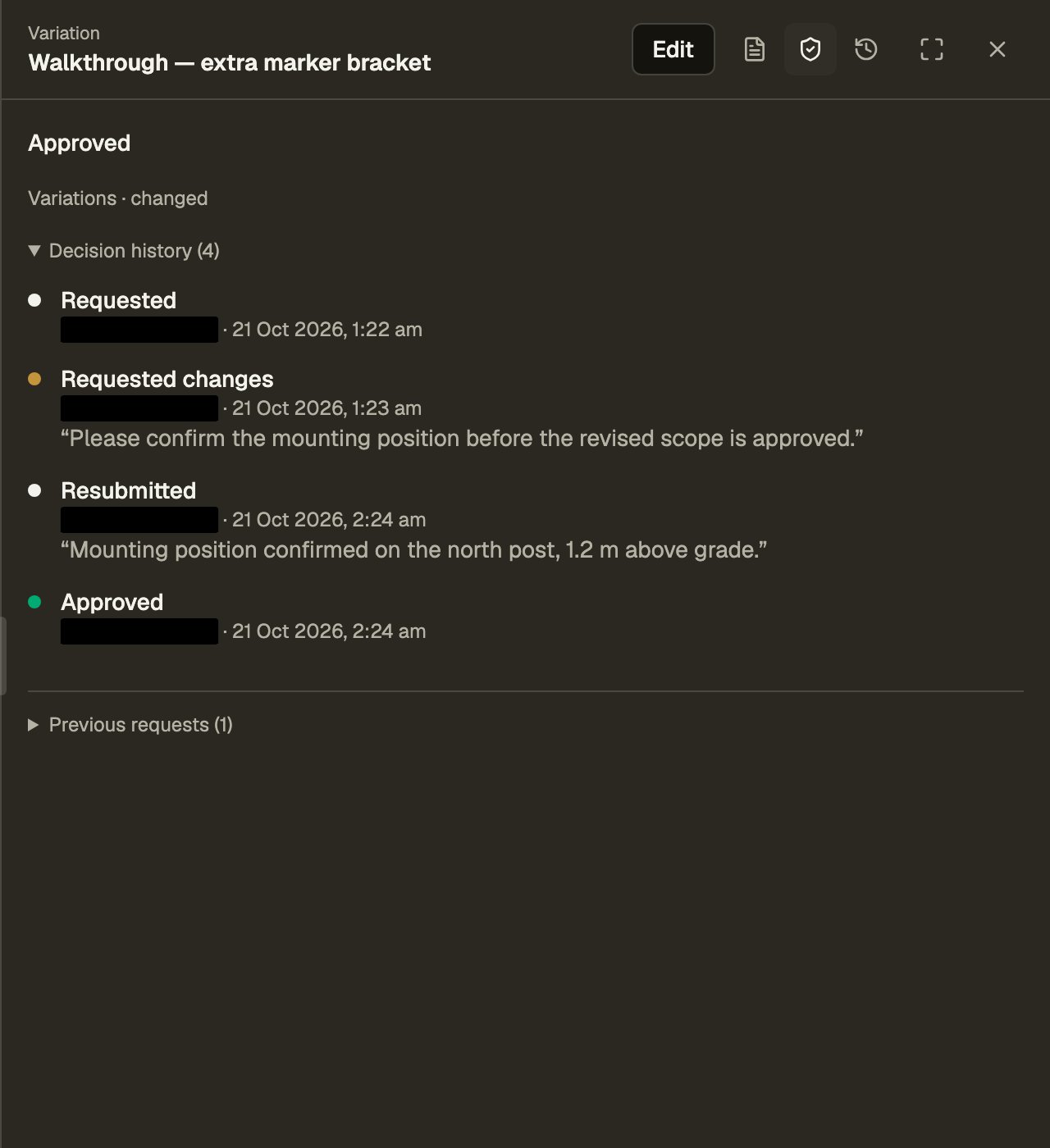
- The requester opens Approval and chooses Resubmit. Review restarts at the first step in the same request. The controller can approve, reject or ask for another correction; every round stays in the timeline.
Reject or withdraw
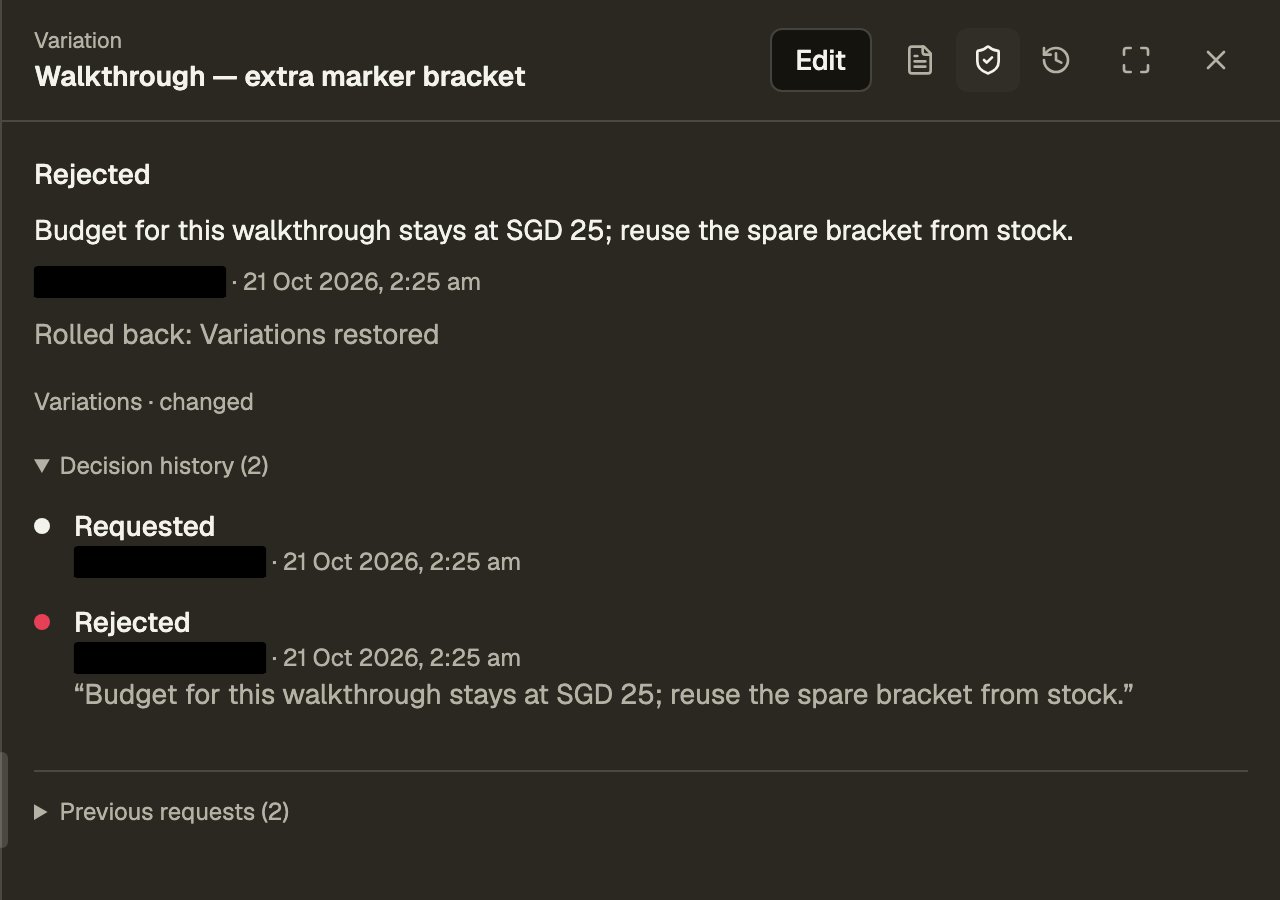
Choose Reject when the change should not proceed. Rejection ends the request and rolls back the change. In this example, rejecting a proposed price increase restores the previous amount. A rejected creation is removed; a rejected deletion is re-created. Decision history reports what was Rolled back and any fields Not restored. Earlier requests appear under Previous requests.
The requester can choose Withdraw while review is open, including after a request for changes. This also rolls back the change. Rejected and withdrawn requests are final; a later proposal starts a new request.
Declare a route
Declare approval on a collection grant in a policy, keyed by create, update or delete. It routes a write the policy does not grant directly. Approval does not belong on reads, actions or domain states.
// src/access_control/policy/+field_ops_contractor.policy.ts (templates/field-operations, excerpt)
// no direct create or update grant: each write is held for Field Operations Controllers
variation_requests: {
  read: {
    where: OWN_JOB,
    fields: ['id', 'job_assignment_id', 'requested_at', 'title', 'description', 'amount']
  },
  approval: {
    create: {
      fields: ['job_assignment_id', 'requested_at', 'title', 'description', 'amount'],
      steps: [['019f8a40-0000-7000-8000-000000000001']]
    },
    update: {
      fields: ['title', 'description', 'amount'],
      steps: [['019f8a40-0000-7000-8000-000000000001']]
    }
  }
}
approval is one route or an ordered list of routes: { match?, where?, fields?, steps, superseded_by? }. Each of up to eight sequential steps names alternative source team handles. superseded_by names teams that may finish all remaining steps. The first matching route supplies the steps; without a match, the write stays denied.
match tests record (the proposed row), previous (the stored row), changed (submitted fields) and requestor (in_team, no_team or named teams), combined with and, or and not.
Held changes
A routed write commits provisionally and returns pendingApproval with the request id. Its records carry $approval; the request keeps their pre-request revisions as a rollback checkpoint. Pending records may be edited by the current step’s approvers. After a request for changes, only the requester may edit them. These edits join the same request. Other writes to held records are refused, including administrator edits.
Decisions in code
import { Effect } from 'effect';
import { bolt, fork } from '$bolt';

fork(bolt.act('variation_requests.create', input).pipe(
  Effect.tap((outcome) => Effect.sync(() => {
    if (outcome.kind === 'pendingApproval') {
      // the provisional write is held; rejection or withdrawal restores its checkpoint
      requestId = outcome.requestId;
    }
  }))
), (error) => { message = error.message; });

// alternative decisions by the current step's approver — choose one
fork(bolt.approvals.process(requestId, { status: 'APPROVED' }), (error) => { message = error.message; });
fork(bolt.approvals.process(requestId, {
  status: 'REQUEST_FOR_CHANGE', reason: 'Please specify the bracket dimensions.'
}), (error) => { message = error.message; });
fork(bolt.approvals.process(requestId, { status: 'REJECTED' }), (error) => { message = error.message; });

// the requester, after editing and saving the requested correction
fork(bolt.approvals.process(requestId, { status: 'RESUBMITTED' }), (error) => { message = error.message; });
// or withdraw the open request and roll back the change
fork(bolt.approvals.withdraw(requestId), (error) => { message = error.message; });
The engine checks each decision against the request’s current state and the viewer’s source teams. Administrators or a superseded_by team may supersede a pending request with a reason. Automations, integrations and envoys cannot approve. Use the native Approval panel for the allowed moves, required reasons and full timeline.
Finishing a request
Final approval or superseding releases the hold and leaves the change in place. Rejecting or withdrawing restores the checkpoint in the same statement as the decision. Any fields that cannot be restored are listed in the timeline. Outbound deliveries from held records wait until approval. Finished requests keep their history and cannot be reopened.
Request statuses
Open requests are ONGOING or CHANGES_REQUESTED. Final statuses are APPROVED, REJECTED, WITHDRAWN and SUPERSEDED. A resubmission returns the same request to ONGOING at the first step.
Notify the next person
Declare notifications on the collection. Send approvalStepRequested to step_approvers to put requests in their inbox, and approvalChangesRequested to requestor to send corrections back. Resubmission raises approvalResubmitted and requests the first step again.